Logistics help
After your package ships, redirect it or request a return
Request redirection or return from your order’s logistics details. Your request goes directly to the courier, without waiting for customer service to pass it on.
- Supported couriers
- SF Express and ZTO
- Fees
- ZTO: CNY 3 per package; SF Express: calculated under shipping fee rules
- Payment
- Deducted from your account balance; requests require sufficient funds
First, check the “Package actions” message
After you open the logistics details, the message below “Package actions” tells you which actions are currently available for the package.
- Can request redirection or returnWhile the package is in transit, you can request either redirection or return.
- Not yet picked up; return requests availableBefore courier pickup, you can only request a return. Redirection is available after pickup.
- Redirection or return request in progressA request is already being processed, so you cannot submit another. To resume delivery along the original route, select “Cancel request”.
- Package delivered; requests no longer availableThe package has been delivered, so it can no longer be redirected or returned.
Request redirection
Redirect a package in transit to a new recipient address.
 1
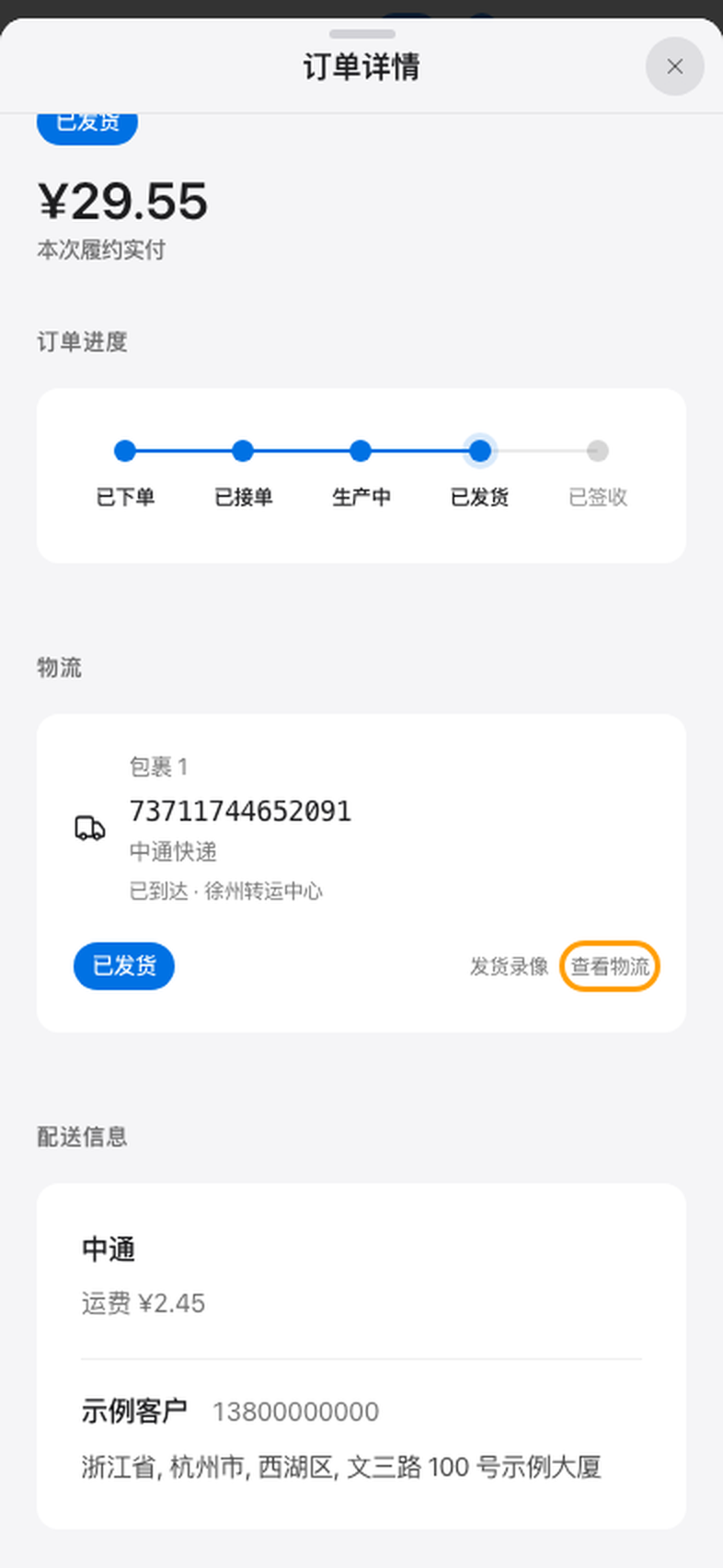
1Open logistics details
Find the order in “Orders”, select “View details”, then select “View logistics” to the right of the package. For SF Express packages, you can also select the logistics information on the order card directly.
 2
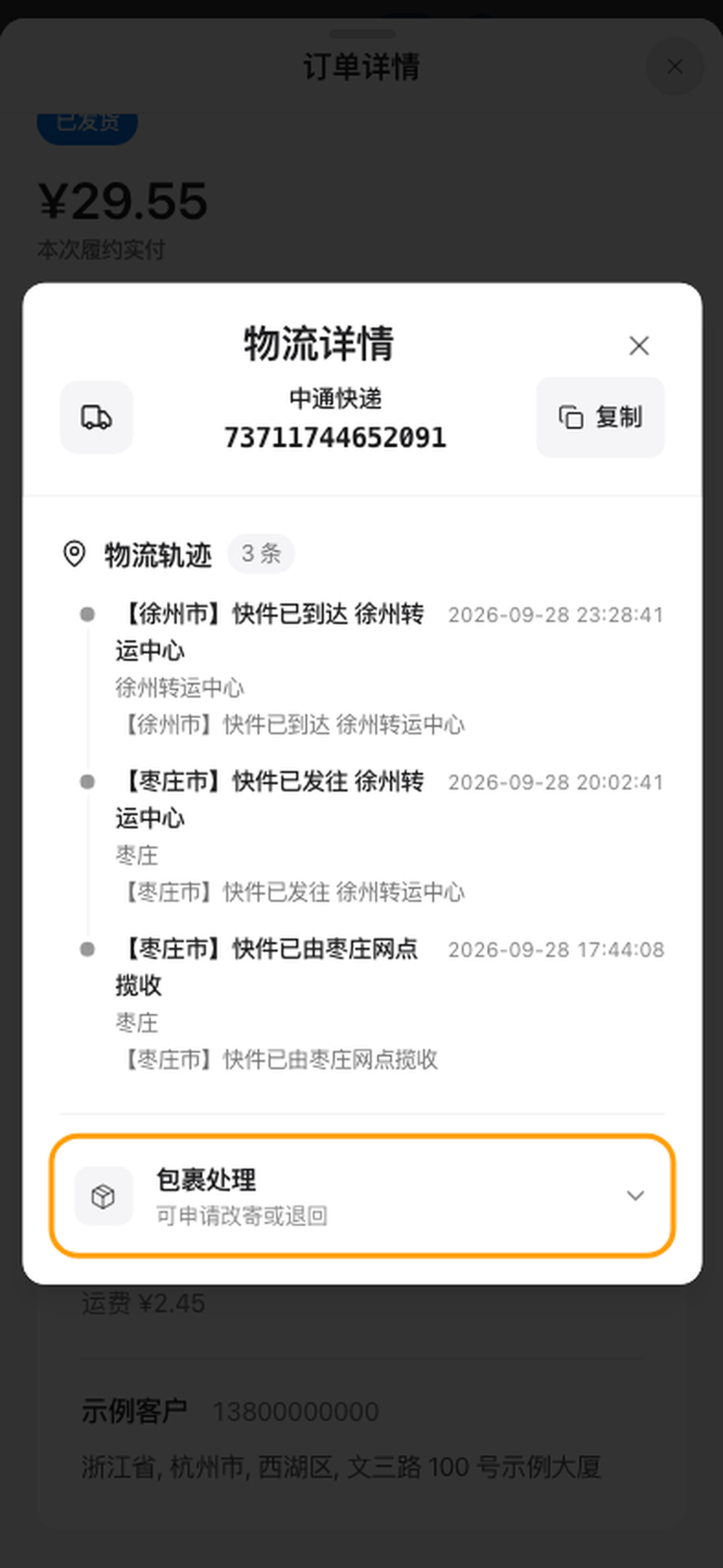
2Expand “Package actions”
Select “Package actions” at the bottom of the logistics details. Read the message below it to confirm which actions are currently available for this package.
 3
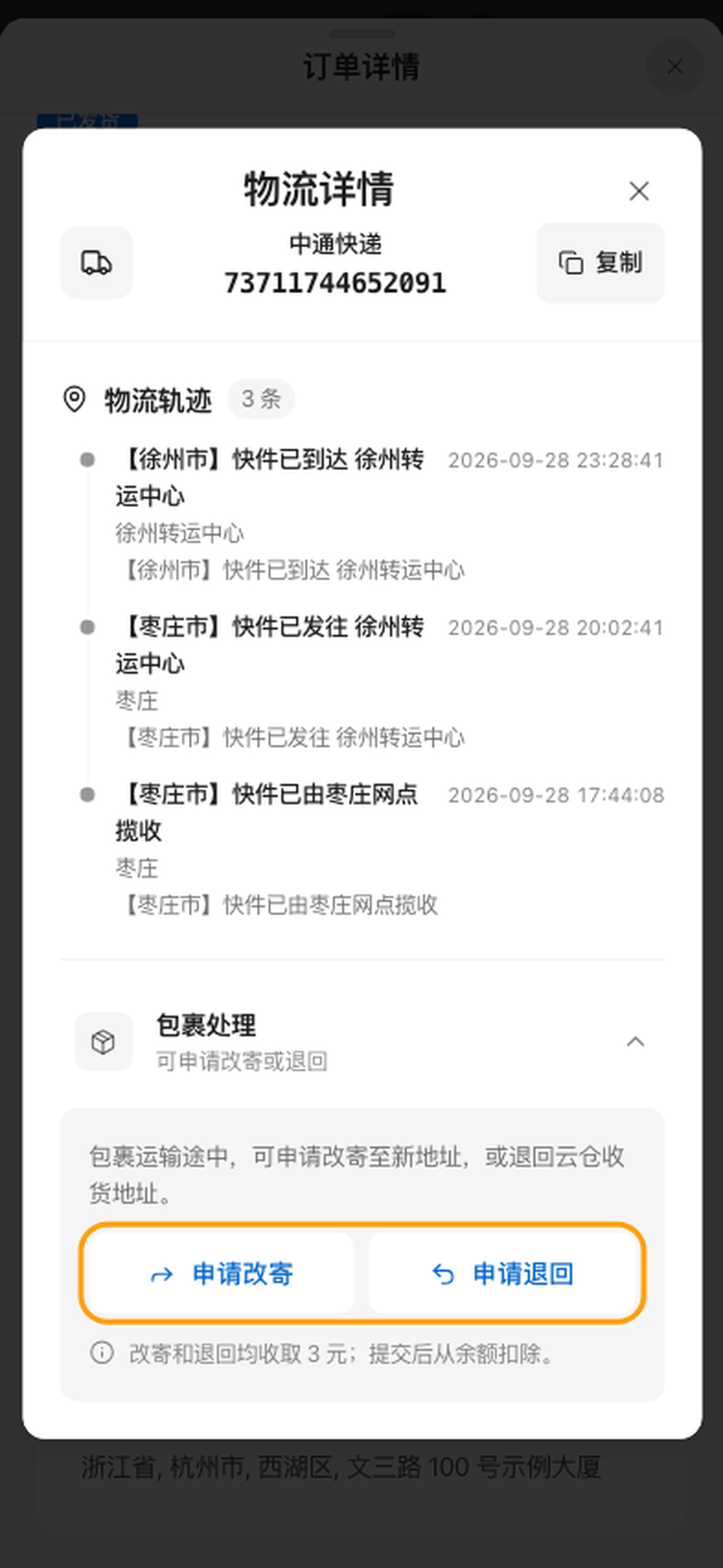
3Select “Request redirection”
While the package is in transit, both “Request redirection” and “Request return” are available.
 4
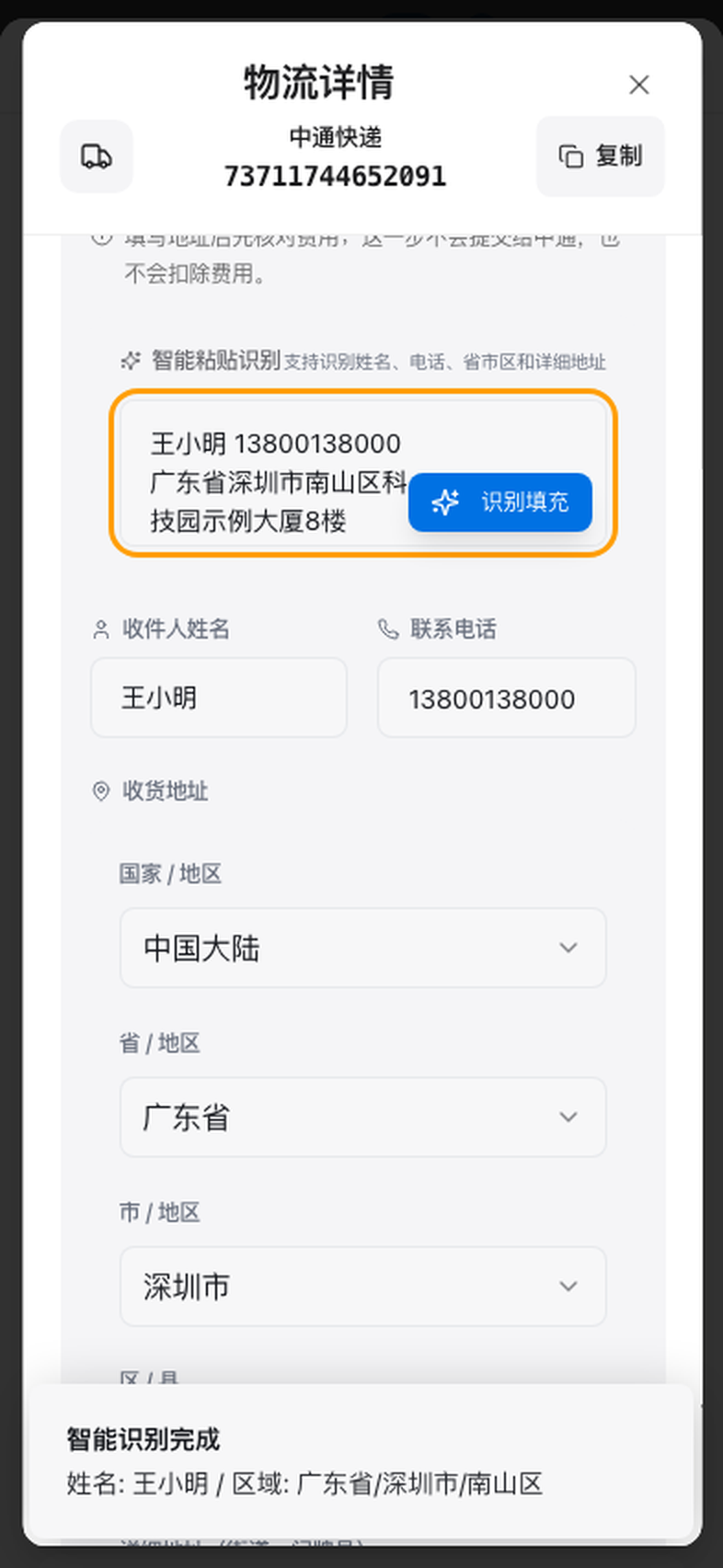
4Enter the new address
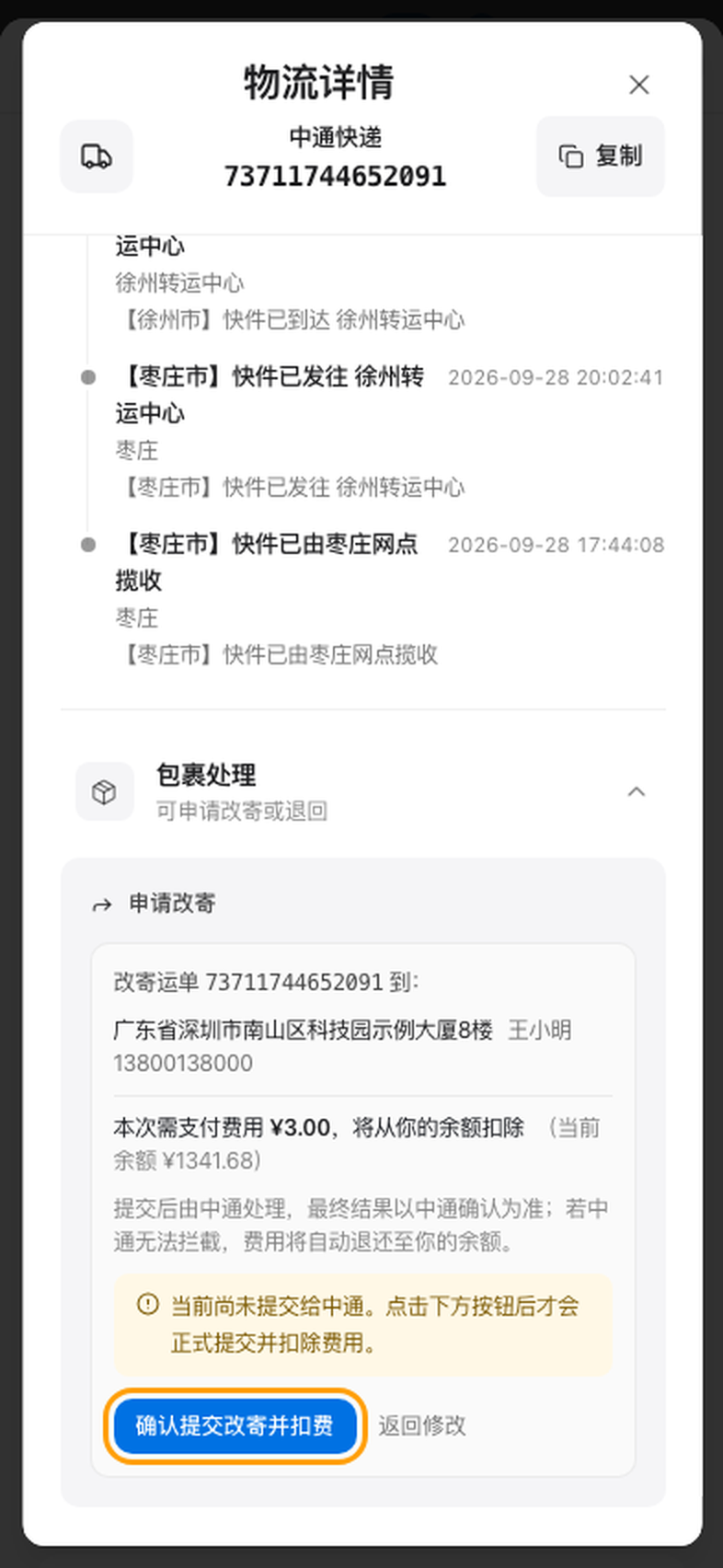
Paste the new recipient’s name, phone number and address together, then select “Parse and fill”. Check the parsed details, then select “Next: review fees”. This step does not submit the request or charge your account.
 5
5Review fees and submit
Confirm that the new address and fees are correct, then select “Submit redirection and pay”. The courier will process the request after submission.
Request return
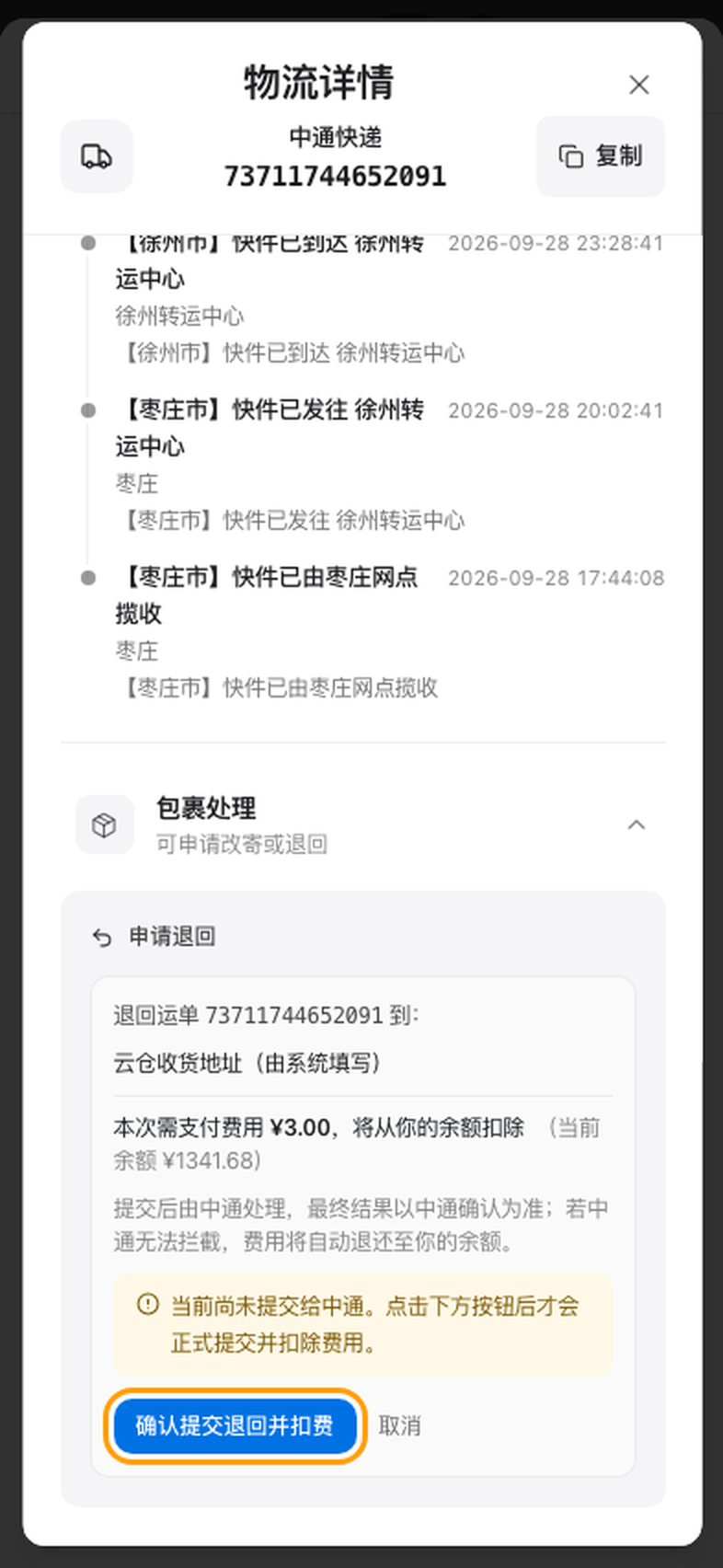
Return a package to your cloud warehouse. The system fills in the return address automatically.
- 1
Select “Request return”
Follow steps 1 and 2 above to open “Package actions”, then select “Request return”.
 2
2Review fees and submit
The system fills in your cloud warehouse receiving address as the return address. Review the fee, then select “Submit return and pay”. The returned package goes directly into your cloud warehouse.
Fees and refunds
The fee is shown before submission. You are charged only after you confirm.
ZTO
CN¥3per package
Redirection and return cost the same.
SF Express
Calculated under shipping fee rules
Shipping fees are recalculated for both redirection and return and shown before submission. Returns requested before courier pickup are free of charge.
- Fees are deducted from your account balance. If your balance is insufficient, you cannot submit the request; please top up first.
- If the courier cannot redirect or return the package, or you successfully cancel the request, the fee is automatically refunded to your balance.
Frequently asked questions
Can’t find “Package actions”?
Self-service redirection and returns are currently available only for SF Express and ZTO packages. For other couriers, contact customer service.
Is “Request redirection” disabled?
The package has no pickup record, has already been delivered, or has a request in progress. Follow the message below “Package actions”.
Can I cancel after submitting?
While the request is in progress, expand “Package actions” and select “Cancel request”. Once cancellation succeeds, the fee is refunded to your balance and the package follows its original delivery route.
Is redirection guaranteed?
The final outcome depends on the courier. If the courier cannot redirect or return the package, the fee is automatically refunded to your balance.
Need to change the address before the order ships?
You do not need to request redirection. Select the edit icon beside the shipping address on the order card to change it directly. If the icon is not visible, contact customer service.
Does your order have multiple packages?
Submit a separate request for each package. In the order details’ “Logistics” section, select “View logistics” for each relevant package.